
Overview
About nCore Warp Drive Loading
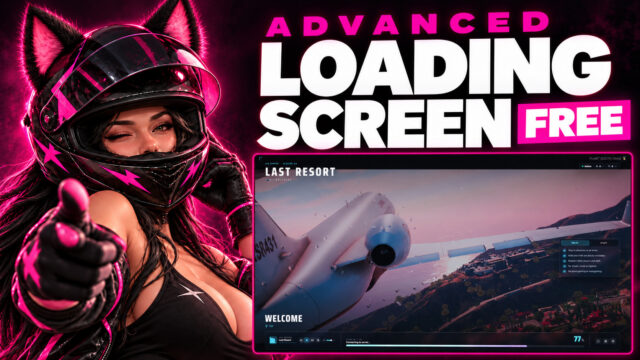
The loading screen is a camera flight through a tunnel of neon rings and hexagon gates, and it gets faster as the progress goes up. A big progress ring sits around your server name the whole time. At 100% the tunnel accelerates into hyperspace and flashes white.
On every beat of your music a shockwave runs down the tunnel. The real beat needs the tracks inside the resource. With a link to a track, or without music, a steady 120 BPM pulse runs instead. No music ships with it, you add your own .mp3 or .ogg tracks.
On top there are tips, Rules, News and Staff cards, the player's FiveM name and a music player. News and tips can come from files, a JSON link or another resource, and wdl_reload in the server console reads them again.
You can also turn on a rules gate. The player scrolls to the end and accepts, or declines and gets disconnected. The gate runs in the client script, so treat it as a prompt for the player. The server saves the answer and drops a player who declines, but it does not check on its own that anyone accepted. Acceptances are saved in data/rules_accepted.json with the player's identifier and name, so mention that in your privacy text.
The interface and the tunnel share a theme of 14 colors. You can put a background video or an image slideshow behind it, both are off by default. Quality is high, medium, low or auto, and on auto it steps down a level by itself when frames take too long. Low drops the grid wall and the motion trails and renders at 75% of the resolution. scene.maxFps caps the frame rate and scene.renderScale lowers the resolution. If a PC has no WebGL 2, a 2D version with color glows and particles runs instead.
When a player connects, the server name, the player count, your news and tips are already on screen. When the session starts, the screen fades out over 0.7 seconds, after the rules gate if you use it. It works next to queue, whitelist, allowlist and anticheat resources, and next to monitor, vmenu and easyadmin, which it finds by resource name.
demo.html plays a scripted take of about 50 seconds in your browser, so you can see it before installing. It has 5 color presets (Warp, Sunset, Aurora, Ember and Toxic), and ?theme=sunset picks one. The presets are only in the demo, but you can copy their colors from demo/demo.js into config.js.
It's free and the code is open, so change whatever you like.
Setup
Put the ncore_warpdrive_loading folder in resources/[ncore] and add ensure ncore_warpdrive_loading near the top of server.cfg. The tunnel is the background, so you don't need a video. Add your music to assets/audio and list it under music.tracks in config.js. Only one loading screen can run at a time, so stop your old one.
Requirements
- It runs on its own, no framework or database needed.
- QBox, QBCore and ESX are optional, I only use them to read the character name, but the screen often closes before the character is loaded.
- WebGL 2 on the player PC for the 3D tunnel.
- Instant first-frame data needs a FiveM build with
deferrals.handover.
Texts come in English, Hungarian, German, French, Italian, Spanish, Brazilian Portuguese, Polish, Czech and Dutch.
The full feature list, the convars, the demo keys and a troubleshooting table are in README.md in the download. New versions are announced on intelnpc.com.
Support is on intelnpc.com and I reply within 72 hours. Refunds are handled by Tebex under their terms.
Not approved, sponsored or endorsed by Rockstar Games.
What you get
Config open, core escrowed
Docs
Read it before you buy
The same docs that ship with the script, updated with every release.
A warp tunnel loading screen for FiveM. Free, with the full code.
nCore Development · intelnpc.com · Resource: ncore_warpdrive_loading · Version: see fxmanifest.lua
What it is#
While the game loads, the camera flies through a tunnel of neon rings and hexagon gates, and it gets faster as the progress goes up. A big progress ring sits around the server name. At 100% the tunnel accelerates into hyperspace and flashes white. The player's name, tips, rules, news, staff and a music player are on top.
It needs no framework, no database and no other resource. No music ships with it, you add your own tracks.
Features#
The tunnel#
- A real-time 3D scene: neon rings, rotating hexagon gates, partial ring segments, light streaks, dust, a grid wall and a glowing core. The tunnel itself is 8 draw calls. Bloom and the motion trails run as extra full-screen passes on top.
- The progress sets the speed, brightness, density, streak length and field of view.
scene.reactToProgressturns that off. - On every beat of the music a shockwave runs down the tunnel and the ring pulses. The real beat needs tracks inside the resource. With a track link, or with no music, a steady 120 BPM pulse runs.
- Finale at real 100%: hyperspace acceleration, a white flash and a burst around the ring.
scene.finaleturns it off. - Bloom (
scene.bloom.*) and motion trails. Shape and look keys inscene.tunnel.*: bend, roll, fov, trails, colorCycle, density, gates, arcs, wall, shockwave, core.scene.speedscales the flight speed. - Quality
high,medium,loworauto. Low uses fewer rings, streaks and dust, drops the grid wall and the motion trails and renders at 75% of the resolution. Onautoit starts on high (medium above about 4.2 million pixels) and steps down one level when frames take too long, with a line in F8 when it does. - A frame cap (
scene.maxFps, 10 to 240, 60 by default) and a render scale (scene.renderScale, 0.25 to 1). It drops to half resolution while the rules gate is open. - If WebGL 2 is missing or the scene fails, a 2D fallback with color glows, soft streaks and floating particles takes over. One F8 warning says why.
scene.enabled: falseshows the 2D version on every PC. - The tunnel pauses while the window is hidden and releases the graphics context after the fade out.
- Over a background video or image the tunnel turns off or stays as a light overlay (
scene.withMedia,'off'or'overlay'). - With reduced motion on in the system, the tunnel stops traveling and the flash is off.
Progress ring and status#
- A ring with a gradient arc, a pulsing head, 84 minor ticks, numbered stage ticks that light up and a big percentage.
- "Stage nn / total" with 7 stage names. The game's log lines replace the stage name for a moment. "Ready - Welcome to the city" at 100%.
- The ring moves by itself up to 90% until the game reports progress, then follows it.
- A status chip with the Online label and dot, players against slots and ping.
- The title is your server name with color codes removed, unless you set
brand.title. Pre-title, subtitle and footer are yours too. - A logo above or in place of the title.
- A welcome line with the FiveM name. I also try to read the character name from QBox, QBCore or ESX, but the screen can close before the character is loaded, so expect the FiveM name most of the time.
playerNamein the config only sets the name in the browser preview. - Rotating tips with F-keys and /commands drawn as key caps.
- Social buttons with icons. In game a click opens the link.
Look#
- Theme with 14 colors that drive the interface and the tunnel.
- Optional background video with an ordered source list and fallbacks, or an image slideshow with a slow zoom. Both are off by default.
assets/video/README.txtexplains formats and why a link is better than a big file in the resource. - Pattern overlay, scrim, vignette, film grain, corner brackets and rising particles, each with a switch.
- The layout scales with the screen height and has a tall layout for narrow screens.
Info panel#
- A tab bar with a card deck at the bottom: Rules (numbered cards), News (tag, date, title and lines, only when there is news, 8 entries by default) and Staff (avatar letter, name, role, badge). The selected tab stays when news refreshes.
Music#
- Your own .mp3 or .ogg tracks with previous, play/pause, next, a volume slider and a numbered popup list.
- Elapsed and total time with a thin progress line.
- Shuffle, loop and autoplay. The first click or key press starts the music if the browser blocks it.
- A spectrum visualizer (4 to 48 bars, 14 by default) and a waveform line. The real spectrum needs local tracks, if any track is a remote link it uses a synthetic signal.
- The volume is remembered for the next join. The music fades out over 0.7 seconds at the end.
Rules gate#
- Off by default. Set
setr wdl:rulesGate 1. - Holds the screen until the player accepts. Scroll to the end first, a version badge, a Decline button that disconnects with a reason in your language, a dimmed and blurred background.
- Once per rules version or on every join (
wdl:rulesMode). - If another resource closes the loading screen while the gate is open, the same panel opens again above the game.
- Acceptances go to
data/rules_accepted.jsonwith the player's identifier, the rules version, the time and the player's name. That is personal data, so mention it in your privacy text. - The client script holds the screen, so treat the gate as a prompt for the player. The server saves the answer and drops a player who declines, but it does not check on its own that anyone accepted.
Live news and tips#
data/news.jsonanddata/tips.json, or JSON links (wdl:newsUrl,wdl:tipsUrl) fetched every 5 minutes (wdl:contentRefreshMinutes). Pushed content comes first, then links, then files, then config and language file.data/README.txtshows the file format.- The files are read again when a player connects, so a saved change shows up for the next one.
SetNewsandSetTipsfor other resources. Up to 12 news entries and 30 tips, plain text only. If a link fails, the content already loaded stays.
Connecting#
- At connect the server hands over the player's name, count, slots, server name, the newest 4 news and 10 tips.
- It works next to queue, whitelist, allowlist and anticheat resources, and next to
monitor,vmenuandeasyadmin. Detection is by resource name.wdl:useDeferralsforces it on or off. - The screen waits for the session, then the gate, then fades out for 0.7 seconds.
Languages and tools#
- 10 languages: English, Hungarian, German, French, Italian, Spanish, Brazilian Portuguese, Polish, Czech and Dutch. Copy
locales/en.jsonto add yours. demo.htmlplays a scripted take of about 50 seconds in your browser. See Browser demo.- The optional dev dock (
devDock) adds a Replay button. Each part of the screen starts on its own. - Fonts, icons and the 3D library ship inside the resource, so there are no outside requests unless you set a media link.
Commands, exports and events#
| Name | Side | What it does |
|---|---|---|
wdl_reload |
Server console or ACE command.wdl_reload |
Re-reads the data files, fetches the links, prints the counts |
wdl_rules_reset <all or me or server id or identifier> |
Server console or ACE command.wdl_rules_reset |
Clears saved acceptances. me only works in game |
IsLoadingScreenDone() |
Client export | True once the screen and the gate are done |
ncore_warpdrive_loading:finished |
Client event | Fires once when the screen is done |
SetNews(list), SetTips(list) |
Server exports | Also the local server events ncore_warpdrive_loading:setNews and :setTips |
-- client
if exports.ncore_warpdrive_loading:IsLoadingScreenDone() then
    -- the screen is gone and the rules gate is answered
end

AddEventHandler('ncore_warpdrive_loading:finished', function()
    -- fires once, when the screen is done
end)

-- server: returns true when at least one entry was usable
exports.ncore_warpdrive_loading:SetNews({
    { title = 'Winter update', date = '2026-07-24', tag = 'Update', body = { 'Two new legal jobs at the docks.' } }
})
exports.ncore_warpdrive_loading:SetTips({ 'Press F1 to open your phone.' })
Pushed lists win over the links and the files until you push again. Push an empty list and the links or the files are used again.
Requirements#
- WebGL 2 on the player PC for the tunnel. Others get the 2D fallback.
- Nothing else. QBox, QBCore and ESX are optional, for the character name when it loads in time.
- Instant first-frame data needs a FiveM build with
deferrals.handover.
Config files#
config.jsfor the tunnel, theme, media, music, panels and gate look.locales/*.jsonfor all texts.data/news.jsonanddata/tips.json, seedata/README.txt.server.cfgconvars, see below.
Convars#
Set them with setr above ensure ncore_warpdrive_loading.
| Convar | Default | What it does |
|---|---|---|
wdl:rulesGate |
0 |
1 turns the rules gate on |
wdl:rulesVersion |
1 |
Change it and everyone is asked again |
wdl:rulesMode |
version |
always asks on every join |
wdl:newsUrl |
empty | JSON link for the news. A document with news and tips keys fills both lists when wdl:tipsUrl is empty |
wdl:tipsUrl |
empty | JSON link for the tips |
wdl:contentRefreshMinutes |
5 |
Minutes between fetches of the links. 0 fetches them once at start |
wdl:useDeferrals |
auto |
1 always takes the connect deferral, 0 turns the connect handover off. auto takes it only when none of the resources named under Connecting is running |
Install steps are in INSTALLATION.md.
Browser demo#
Double-click demo.html and it opens in your desktop browser with every feature playing, straight from the folder. It reads your config.js, so you see your colors, brand texts, staff and music. The news and tips are demo samples, and so are the rules unless you set rules in config.js. Players never download the demo files.
Start options go after demo.html?, joined with &, for example demo.html?theme=sunset&lang=hu&clean=1.
| Option | What it does |
|---|---|
theme= |
default (Warp), sunset, aurora, ember or toxic |
lang= |
Any of the 10 language codes |
speed= |
0.25 to 4, 1 by default |
gate=0 |
Skips the rules gate |
loop=1 |
Replays forever |
clean=1 |
Hides every demo element, for recording |
The 5 color presets only exist in the demo. To use one on your server, copy its colors from THEMES in demo/demo.js into theme in config.js.
| Key | What it does |
|---|---|
| H | Demo help |
| Space | Pause or resume the timeline |
| R | Restart |
| C | Next theme |
| 1 to 9 | Jump to 10 to 90% |
| 0 | 100% and the finale |
| G, A | Show the rules gate, accept it |
| T | Next tab |
| P | Playlist |
| M | Music on or off |
| F | Fade out |
| L | A game log line |
| N | Extra news |
Opened from disk, the spectrum bars and the beat use the synthetic signal. Served over http they follow the real audio. The browser holds sound until the first click, so click once after each restart.
FAQ and troubleshooting#
| Problem | What to check |
|---|---|
| No music plays | music.tracks is empty in the shipped config. Put .mp3 or .ogg files in assets/audio and list them, as a path or as { src, title }. If the browser blocked autoplay, the first click or key press starts it. |
| I see the 2D background instead of the tunnel | Open F8 and look for the 3D background unavailable line, it names the reason, for example WebGL 2 is not available. Also check that scene.enabled is not false. |
| The tunnel is gone behind my video | That is the default. Set scene.withMedia to 'overlay' to keep it over the video or image. |
| The tunnel stutters on a weak PC | Set scene.quality to 'low', lower scene.renderScale, or turn off scene.bloom.enabled. On auto it already steps down by itself. |
| The shockwave doesn't follow my music | The real beat needs tracks inside the resource. A track link gets the steady 120 BPM pulse. |
| How do I change the server name | Set brand.title in config.js. Leave it null or empty and the screen shows sv_projectName (or sv_hostname) without the color codes. The other texts are in locales/<lang>.json. |
| The player count is 0 in the browser | The browser preview uses status.playersCurrent, playersMax and ping from config.js. In game the server sends the live numbers. |
| The screen doesn't close | It closes when the player's session starts. With the rules gate on it waits for Accept. Make sure no other loading screen resource is running. |
| The welcome line shows the FiveM name | That's expected most of the time. The character name from QBox, QBCore or ESX only arrives if the character loads before the screen closes. |
| The rules gate doesn't show | Check setr wdl:rulesGate 1. A player is asked once per wdl:rulesVersion, so use wdl_rules_reset all in the server console to see it again. |
| News or tips don't change | The server console prints a line when data/news.json or data/tips.json isn't valid JSON and when a link fails. Pushed content wins over the link, and the link wins over the files. wdl_reload reads everything again. |
Support#
Support is on intelnpc.com and I reply within 72 hours.
nCore Warp Drive Loading is made by nCore Development. It is not approved, sponsored or endorsed by Rockstar Games.
-
Put the
ncore_warpdrive_loadingfolder intoresources/[ncore](create the[ncore]folder if you do not have one yet). -
Stop or remove any other loading-screen resource. Only one resource can declare a loading screen.
-
Add this line near the top of
server.cfg, before your other resources:server.cfgensure ncore_warpdrive_loading -
Put your music in
assets/audio/and list it undermusic.tracksinconfig.js. Put your logo inassets/img/if you want one. The manifest already packs .mp3 and .ogg music, .png, .jpg, .svg and .webp images and .webm, .mp4, .mkv, .m4v and .ogv videos. -
Set your server name, colors, links, rules, news and tips in
config.js, then restart the server.
The background is the 3D warp tunnel, so no video is needed. To use a video or images instead, put them in assets/video/ or assets/img/, list them in config.js and set video.enabled or image.enabled to true. The tunnel then turns off behind them, or stays as a light overlay with scene.withMedia: 'overlay'.
Optional convars#
Put them above ensure ncore_warpdrive_loading. README.md lists all of them with their defaults under Convars.
setr wdl:rulesGate 1
setr wdl:rulesVersion 1
setr wdl:newsUrl "https://example.com/news.json"
Preview before you upload#
Double-click demo.html to see your screen in your desktop browser with every feature playing, straight from the folder. It reads your config.js, so you can check colors, brand texts, staff and music before restarting the server. News and tips in the demo are samples. The options and hotkeys are in README.md under Browser demo. Players never download the demo files.
Notes#
- Nothing else is required. QBox, QBCore and ESX are detected and only used for the player's character name. The screen can close before the character is loaded, so the FiveM name is shown most of the time.
- Do not rename the
ncore_warpdrive_loadingfolder. - Players without 3D graphics support (WebGL 2) automatically get the 2D background.
- The rules gate is a prompt held by the client script. The server saves the answer and drops players who decline, but it does not block anyone who has not accepted.
- Acceptances are written to
data/rules_accepted.json. Clear them withwdl_rules_reset allin the server console.
This is a fresh start for the public release. Older internal notes are not part of it.
1.0.6#
First public release.
Free
Grab it free
Free to claim, checkout right here on the site, and a Discord full of people who will answer any question first.